Sharing & Access
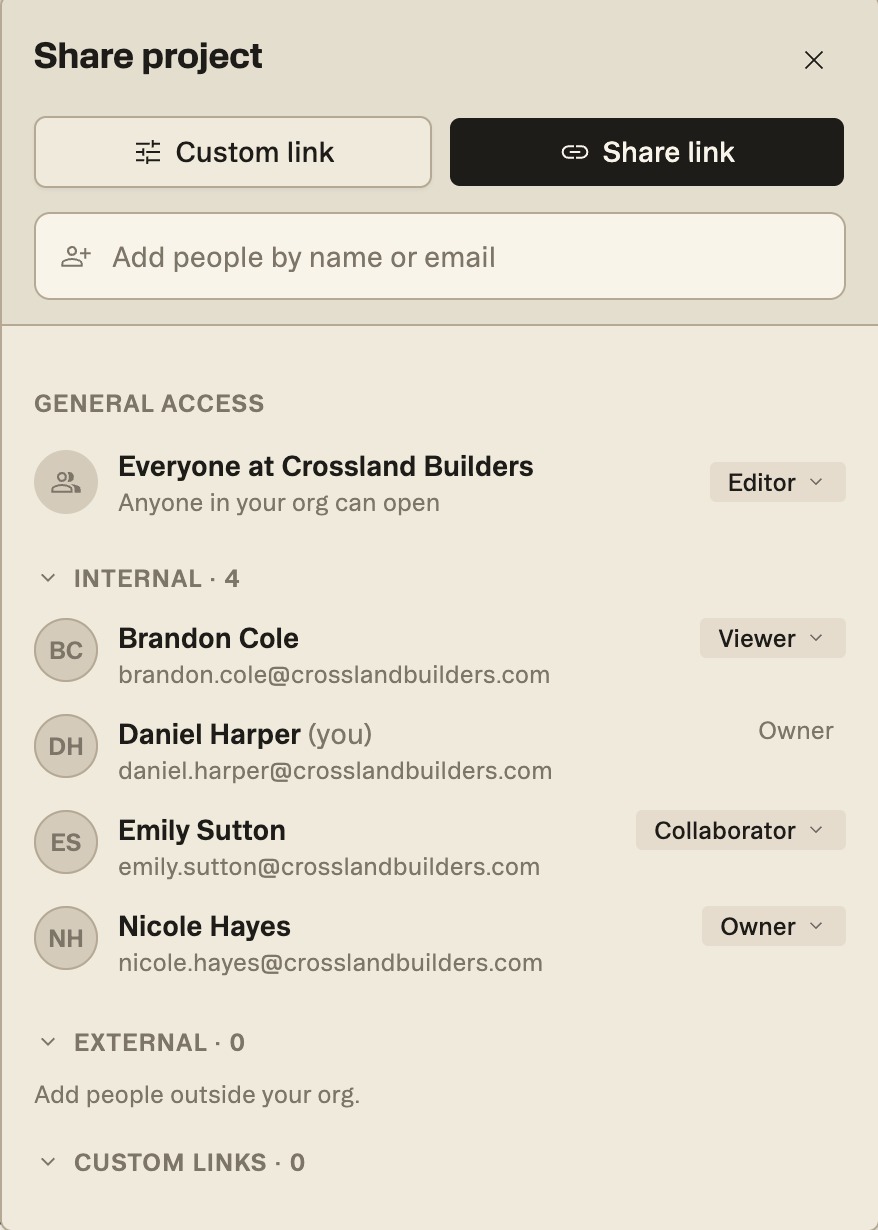
Everyone in your organization can open the projects you create, and you choose who else gets in and what each person can do. Click Share project at the top right of any project to manage it.
Updated 1 minApplies to: MapFeedback →
Who can open a project
- General access. Everyone in your organization can open the project. Set what they can do as a group with the role on the Everyone at … row.
- People. Add teammates, or people outside your organization, by name or email in Add people. Give each person a role: Owner, Editor, Collaborator, Viewer or No access. People outside your organization are listed under External.
- Links. Custom link makes a view-only link that anyone can open without signing in. Name it (only your team sees the name) and choose when it expires; the default is 90 days. Your links are listed under Custom links.
Good to know — There's no live multiplayer editing in this release (no shared cursors or simultaneous editing on the map). Changes you and your teammates make to scopes and risks are stamped with who made them.
Was this page useful?Stuck? help@struction.com
More docs