Count takeoff
Count is for anything you price by the each — doors, fixtures, columns, RTUs. Place markers by hand, or box one symbol and let Struction find the rest of them on the drawing.
Updated 1 minApplies to: MapFeedback →
Count by hand
- Pick Count Takeoff from the toolbar (M then C). A new quantity opens in the Quantities panel.
- Click each item you want counted. A marker lands on every click.
- Click Done on the card at the foot of the sheet. The markers save as one measurement and the total appears on the quantity's row.
Auto Count
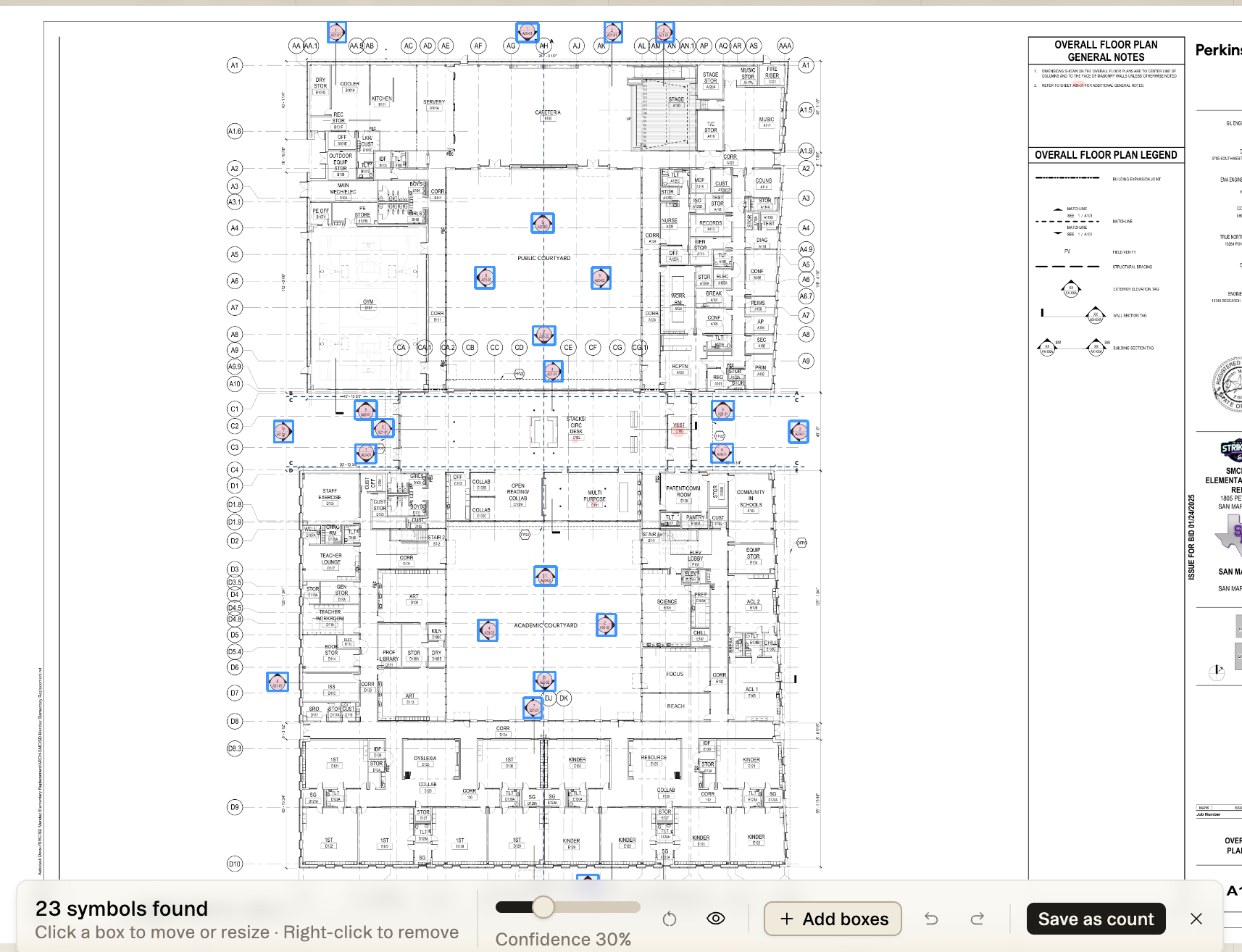
Auto Count takes one example and finds its matches on the sheet, or across the trade.
- Pick Auto count from the Count tool options chevron on the toolbar.
- Drag a box tightly around one instance of the symbol (a receptacle, a light fixture, a column mark). Move or resize it until it sits on one symbol.
- Choose Search sheet to look on this sheet, or Search trade to widen the search to the trade.
- A review bar reports how many symbols were found. Click a box to move or resize it, right-click a box to remove it, use + Add boxes for any it missed, and adjust Confidence (30% to start).
- Click Save as count, or Add to quantity when a count quantity is active. Close the bar without saving and Struction asks before discarding the boxes.
Good to know — Review before you save. Auto Count proposes; you decide. Nothing enters the quantity until you save, and a box you remove never counts.
Was this page useful?Stuck? help@struction.com
More docs