
ProductContactPricingDocsNews
Quickstart
Overview
  • Goals
  • Maps
  • Focus View
  • Split-Screen
  • Filter & Search
  • Sharing & Access
Chat
  • Context-Aware
  • Cited Answers
  • Prompting
  • Editing with Chat
Documents
  • Upload
  • Replacement
  • Version Control
  • Quantity Takeoff
Scopes of Work
  • Overview
  • Creation
  • Customization
  • Editing
  • Versioning
  • Exporting
Issues
  • Why Issues Matter
  • RFIs
  • Risks
  • Scope Gaps
  • Adding & Managing Issues

Docs for

MapRetaining Wall
All docs

Overview

Focus View

When you want to read one thing carefully, such as a drawing, a spec section, or a scope, open it in Focus View. It fills the screen for close reading and editing, while the map stays visible at the edges so you never lose your bearings.

Single-click an item when zoomed in, or right-click and choose Open in Focus. Press Escape or zoom out to leave.
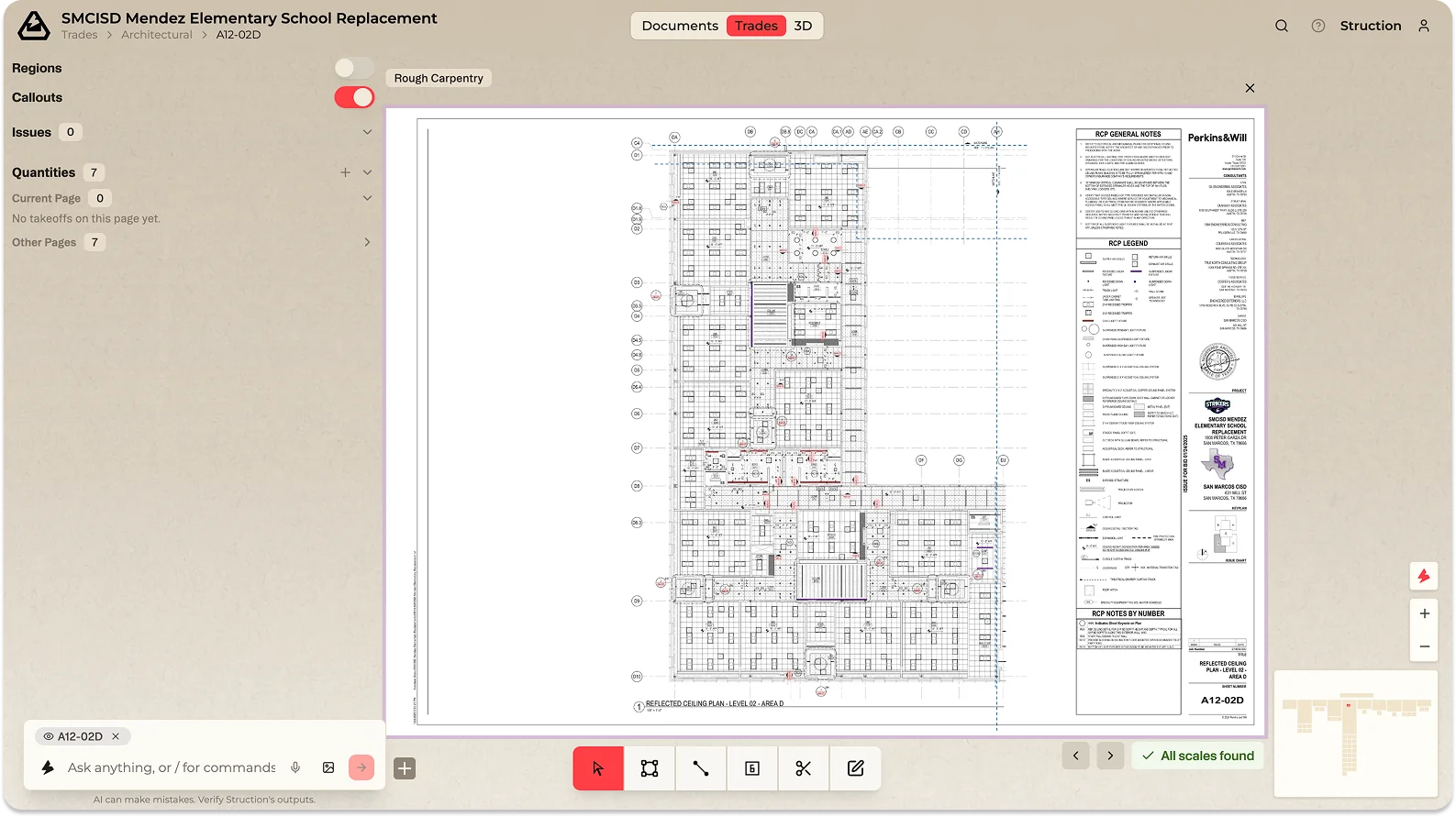
A drawing opened in Focus View for close reading, with the takeoff toolbar and floating Quantities register.

More docs

    • Introduction
    • Goals
    • Maps
    • Focus View
    • Split-Screen
    • Filter & Search
    • Sharing & Access
    • Introduction
    • Context-Aware
    • Cited Answers
    • Prompting
    • Editing with Chat
    • Introduction
    • Upload
    • Replacement
    • Version Control
    • Quantity Takeoff
    • Introduction
    • Overview
    • Creation
    • Customization
    • Editing
    • Versioning
    • Exporting
    • Introduction
    • Why Issues Matter
    • RFIs
    • Risks
    • Scope Gaps
    • Adding & Managing Issues

Docs for

MapRetaining Wall

Product

  • Overview
  • Pricing
  • Docs

Company

  • Contact
  • Support

Resources

  • FAQ
  • News

Social

  • LinkedIn
  • X

© 2026 Struction Incorporated · Pre-construction, Reconstructed