Scope gaps
A scope gap is work that doesn't fit cleanly into any single trade — condensate lines that could be Plumbing or HVAC. Struction sets them aside for you to assign, so nothing falls between the trades.
Updated 2 minApplies to: MapFeedback →
What a gap is
When Struction drafts scopes, any item that no trade clearly owns is set aside as a scope gap rather than forced into the wrong scope. Gaps sit together on a Scope Gaps card beside the project card on the map, with counts for Unresolved, Assigned and Acknowledged; double-click it to open the list. They are also listed in the Risk Register, where a scope gap is treated as a type of risk. Each gap names its candidate trades by CSI division — candidates: 06, 22, 03 — with a recommendation (assign it, or raise an RFI) and the sheet it came from.
Gaps are numbered per project — GAP-7 — so they're easy to talk about.
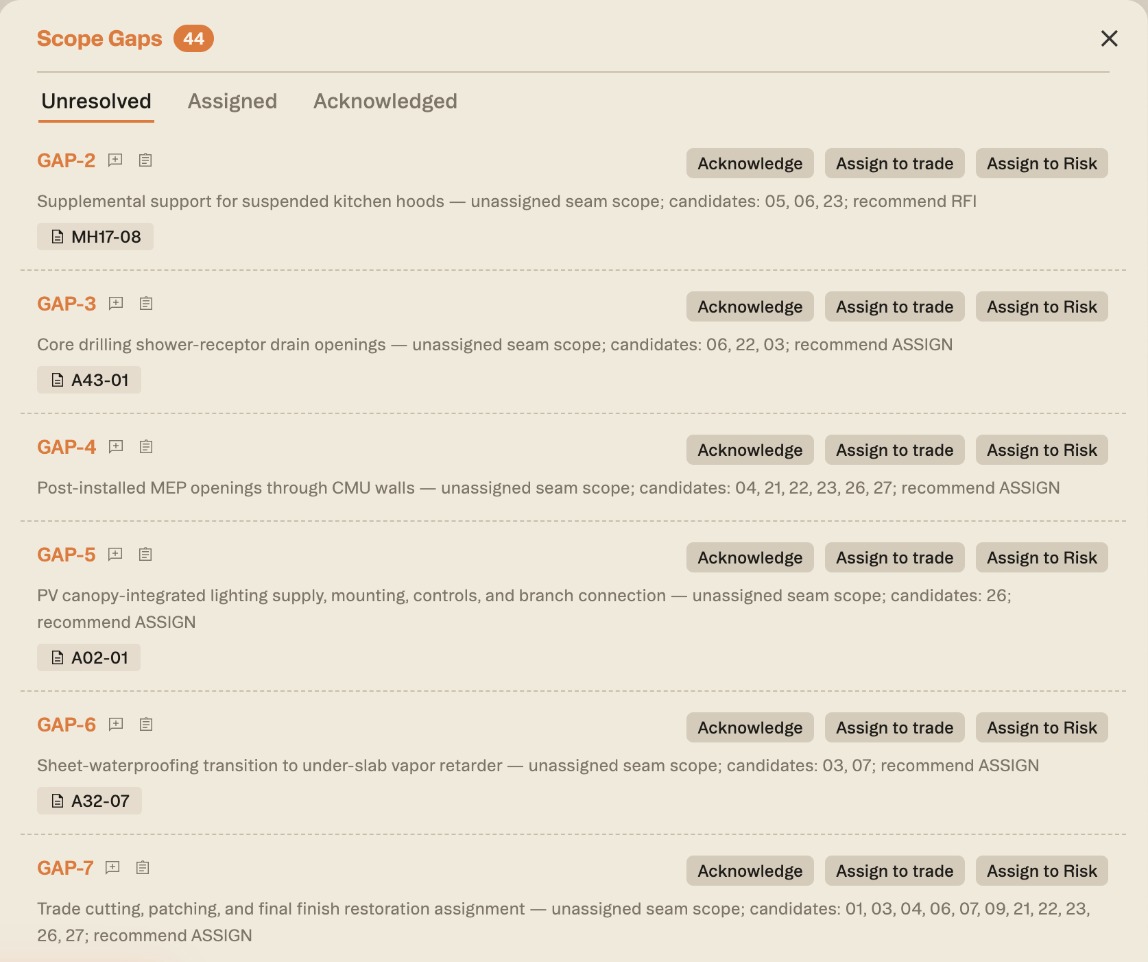
Resolving a gap
- Assign to trade opens a list of trades with checkboxes, so one gap can go to more than one scope — fire-caulking to both Drywall and Mechanical, say — when both subs need to see it.
- Create a new scope when the gap is really a trade you're missing — from + in the Scopes of work panel, or by asking chat — then assign the gap to it.
- Acknowledge it as a known gap you're carrying.
- Assign to Risk when the "gap" is really a risk or a question for the architect; you can change its type in the Risk Register from there.
Assigned and acknowledged gaps move out of the open list into their own tabs.
Workflow example — As the senior estimator, scope gaps are your last sweep before bid. You open the gaps group, see that "equipment pads" was claimed by neither Concrete nor Mechanical, assign it to Concrete, and confirm nothing else is unowned — so you go to bid knowing the whole project is covered, with no quiet holes between trades.
More docs