Inviting teammates and roles
Struction is organized around your company. Everyone you invite joins your organization. This page covers inviting people, the organization roles, and who can see a project.
Updated 1 minApplies to: MapFeedback →
Invite people
Open Settings › Members. The page lists everyone with access (10 people with access), with each person's email, Role, Plan and when they were last active.
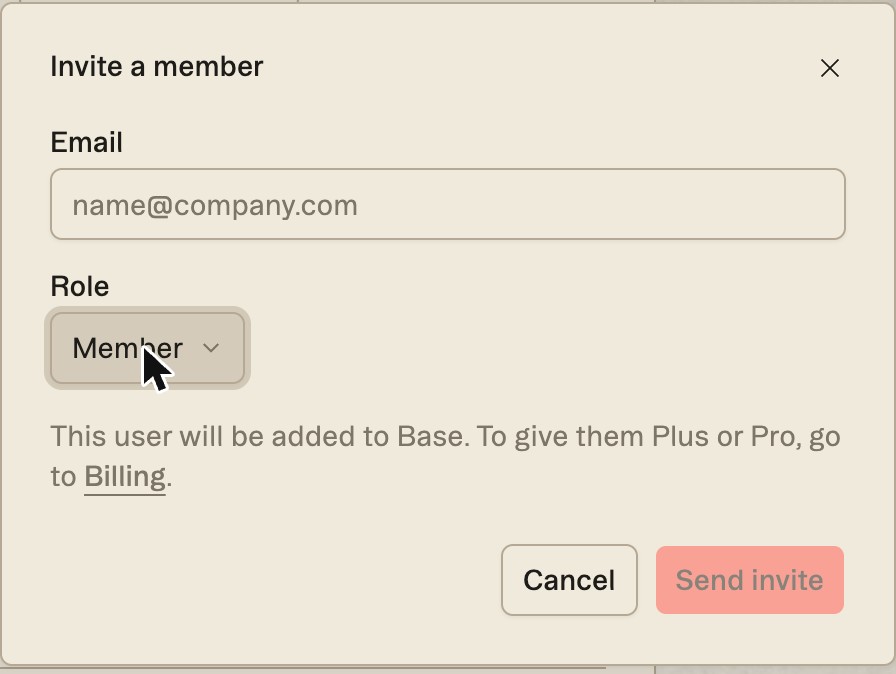
- Click Invite member.
- Enter their email and pick a Role: Member or Admin.
- Click Send invite. Invites that haven't been accepted yet wait under Pending invitations.
New people join on Base. To give someone Plus or Pro, change their Plan on the Members page, or go to Billing.
Roles
The person who owns the organization is marked Owner. Everyone you invite joins as a Member or an Admin. There's no ownership-transfer control in Settings; to move ownership to someone else, write to help@struction.com.
Who can see a project
Organization roles don't decide who can open a project. Each project has its own access, set from Share project: what everyone in your organization can do, a role for each person, people from outside your organization, and view-only links. See Sharing & Access.
Workflow example — A precon director creates the organization and the first project, invites two estimators, and assigns each a scope to own. Both open the same map and comment on each other's sheets.
More docs