Cross-references
Drawings point at each other constantly: "see detail 8 on A20-02". Struction reads those callouts and turns them into links you can click.
Updated 1 minApplies to: MapFeedback →
On the sheet
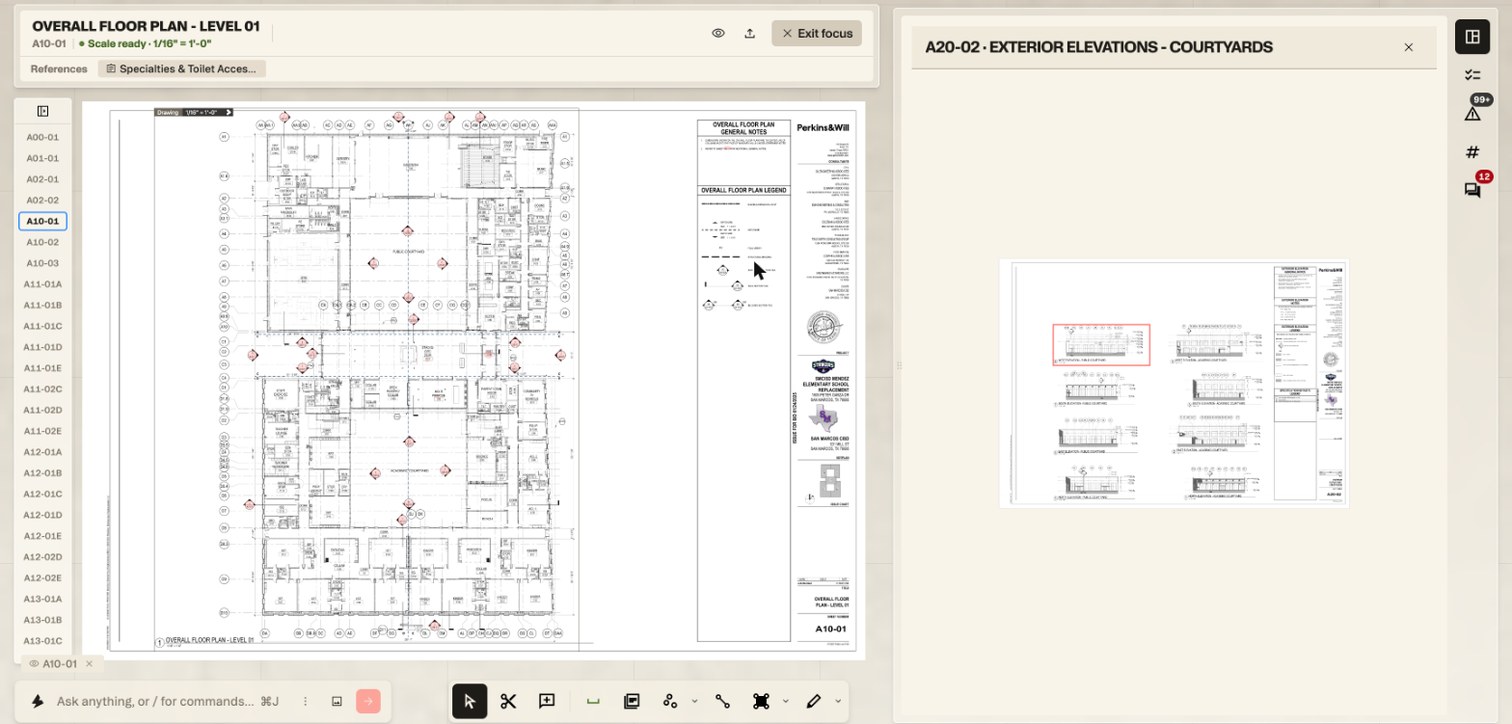
In Focus View, the callouts Struction detected are marked on the drawing. Hover one to see where it leads (Navigate to A20-02 detail 8). Click it and the target sheet opens in the detail panel beside the one you're reading, with the detail outlined.
To hide the markers, open the eye in the sheet's banner (Drawing markup) and turn off Callouts.
In the banner
A focused sheet lists the scopes of work that cite it under References; click one to open that scope in the detail panel. A spec section in Focus View lists the sheets that point to it under Referenced by, and the scopes it feeds under Scoped in.
On the map
Select a sheet on the map and connection lines show which scopes of work it fed.
Workflow example — A10-01 carries a callout to detail 8 on A20-02. Hover it to check where it leads, click it, and A20-02 opens beside the plan with the detail outlined — no paging through the set.
More docs