The detail panel
The detail panel is the reading pane on the right of the map. Scopes, the Risk Register, drawing sheets, spec sections and every other document open there without taking you away from where you are.
Updated 3 minApplies to: MapFeedback →
Open it
- Single-click a chip — a sheet, scope or spec-section reference on a card, in the Risk Register or in a chat reply.
- Hold Cmd (or Ctrl) and click a card on the map.
- Click a Source on a scope item to bring up the page it came from.
- Open a drawing set or spec book from Project documents in the Project panel.
The panel hovers over the right side of the map rather than pushing it aside; drag its edge to resize it.
What it shows
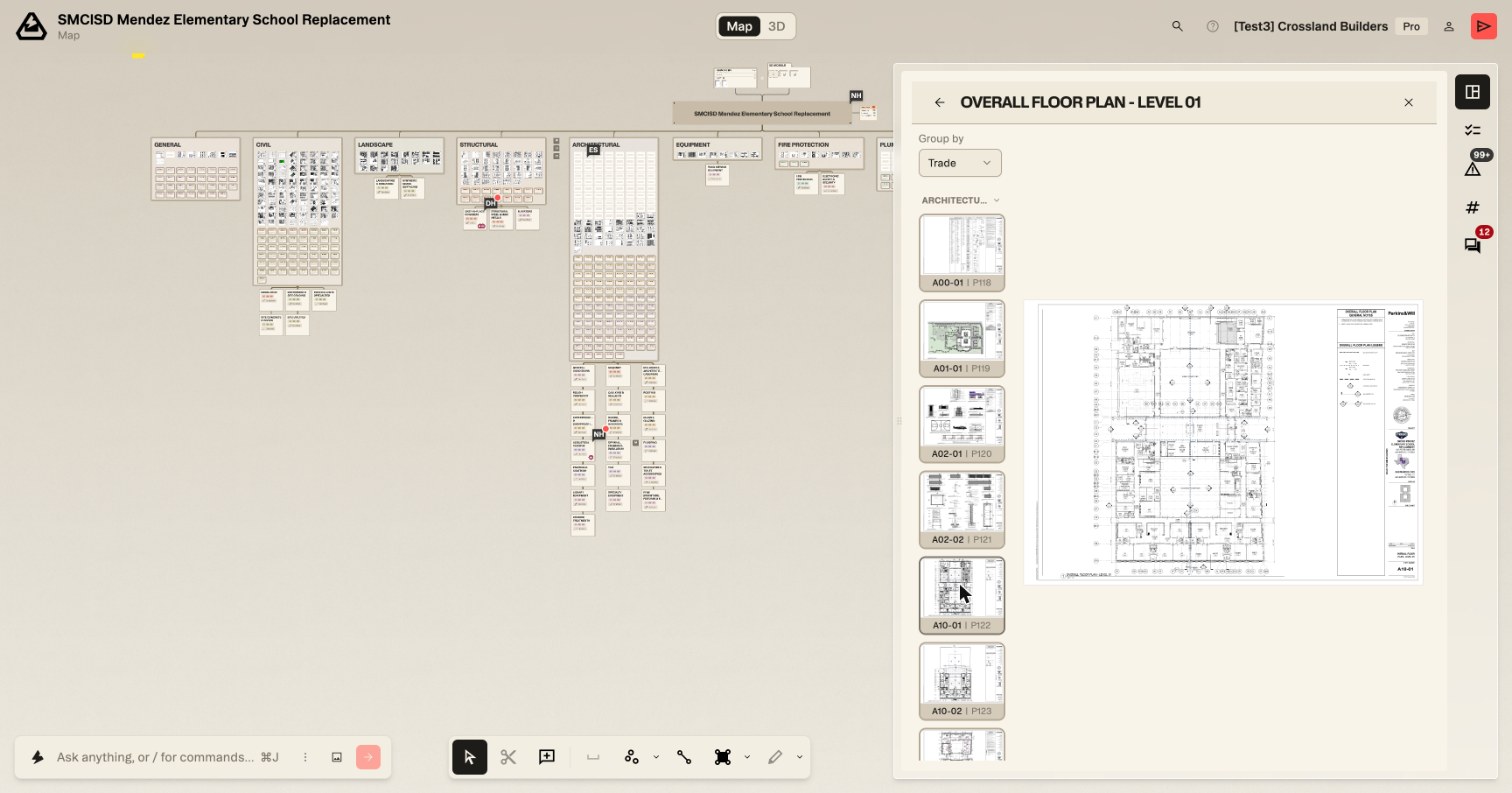
- A drawing sheet — the sheet, with chips along the bottom for the scopes of work that cite it; click one to open that scope at the item that cites the sheet. Open a whole drawing set and the panel becomes a reader: a thumbnail rail runs down the left, each thumbnail labeled with the sheet number and its page in the set — A00-01 | P118 — and a Group by dropdown at its top sorts the rail into collapsible trade groups (Trade) or one run of sheets (None).
- A scope of work — the scope's items, sources and status, editable in place.
- The Risk Register — the project's risks, RFIs and scope gaps.
- A spec section, addendum or bid document — the text, with its references.
One slot
The right side holds one thing at a time. A rail of five buttons chooses which: Project, Scopes of work, Risk register, Quantities and Collaboration. Opening one puts the other away. When one thing opens from another — a sheet from the Project panel, say — a back arrow at the top of the panel returns you to it.
The Project panel
The first button on the rail opens the project's own summary — the closest thing Struction has to a dashboard, and the fastest way to see where a bid stands.
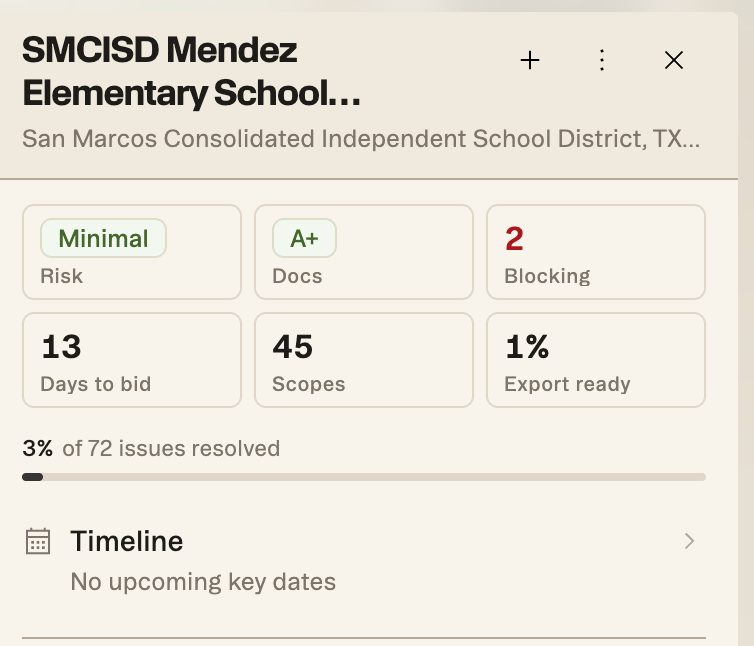
At the top, the project name and its address. Under it, six tiles: Risk and Docs, the two grades from the Risk Register; Blocking, a count of open issues — click it to open the Risk Register filtered to open risks; Days to bid; Scopes, how many scopes of work the project has; and Export ready, a percentage of how close the scopes are to being ready to send — click it to open the Scopes of work list. A bar beneath them shows the share of issues resolved — 3% of 148 issues resolved on the sample project.
Below that sits a collapsed Details block, then Project documents: a tab for each issuance — Issue for Bid — with its date and the documents in it, listed by kind: Drawing sets with their sheet counts, Specification books with their section counts, and 3D models, each with a download button. Click a set or book to open it in the panel. Artifacts, the tables and documents chat has made, come last.
Tip — The panel and Focus View are different tools. Focus View is for working on one thing; the panel is for reading something alongside what you're doing.
More docs