Risks
A risk is anything in the documents that could cost you money, time or safety. Struction flags them by category on upload; you resolve, accept or dismiss each one.
Updated 2 minApplies to: MapFeedback →
Categories
| Category | What it flags |
|---|---|
| Integrity | Gaps in the requirements — missing information |
| Complexity | Complex assemblies, unusual methods |
| Schedule | Long-lead items, phasing concerns |
| Cost | Allowances, to-be-determined quantities |
| Safety | Hazardous materials, confined spaces |
| Coordination | Multi-trade conflicts |
| General | The starting category for a new risk, when none of the others fits yet |
| Scope Gap | Work no single trade clearly owns — see Scope gaps |
Risks count toward the Risk tile in the Project panel. See Why issues matter.
Where risks come from
Struction generates risks automatically on upload. You can add your own from the + in the Risk Register's header, or ask chat to. A risk shows as a chip on the sheets and scopes it touches; in the register, a red square marks a Critical risk and an amber one a Medium.
Three ways to close a risk
- Resolve it — with new information, such as an answer to an RFI or an additional upload. Open the risk and click Resolve.
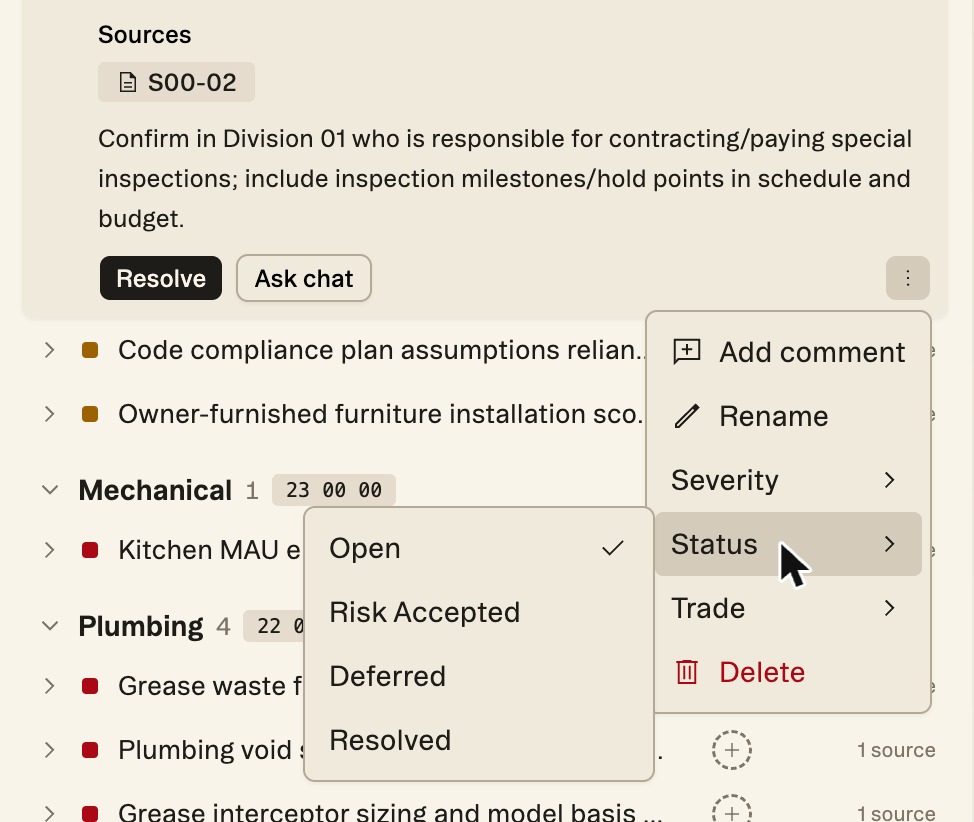
- Accept it — carry it knowingly, for example with contingency. In the risk's ⋮ menu, choose Status › Risk Accepted. It leaves the open count and shows struck through in the register, with a Reopen button.
- Defer it — set it aside for now with Status › Deferred. If a risk isn't real at all, Delete it from the same menu.
Workflow example — A red chip on the structural sheets catches your eye. You zoom in: HVAC rough-in conflicts with structural beams in several locations. You split-screen the mechanical and structural sheets to confirm it's real, mark it as a critical risk, and raise an RFI to the architect — turning a problem you might have eaten in the field into a question you ask before bid.
More docs