Sheet index and downloads
The sheet list lives with the drawing set, and every document in the project can be downloaded from the Project panel.
Updated 1 minApplies to: MapFeedback →
Read the sheet list
Open the Project panel from the right-hand rail. Under Project documents, each issuance has a tab (Issue for Bid) with its date and its documents, listed in groups: Drawing sets with their sheet counts, Specification books with their section counts, and 3D models.
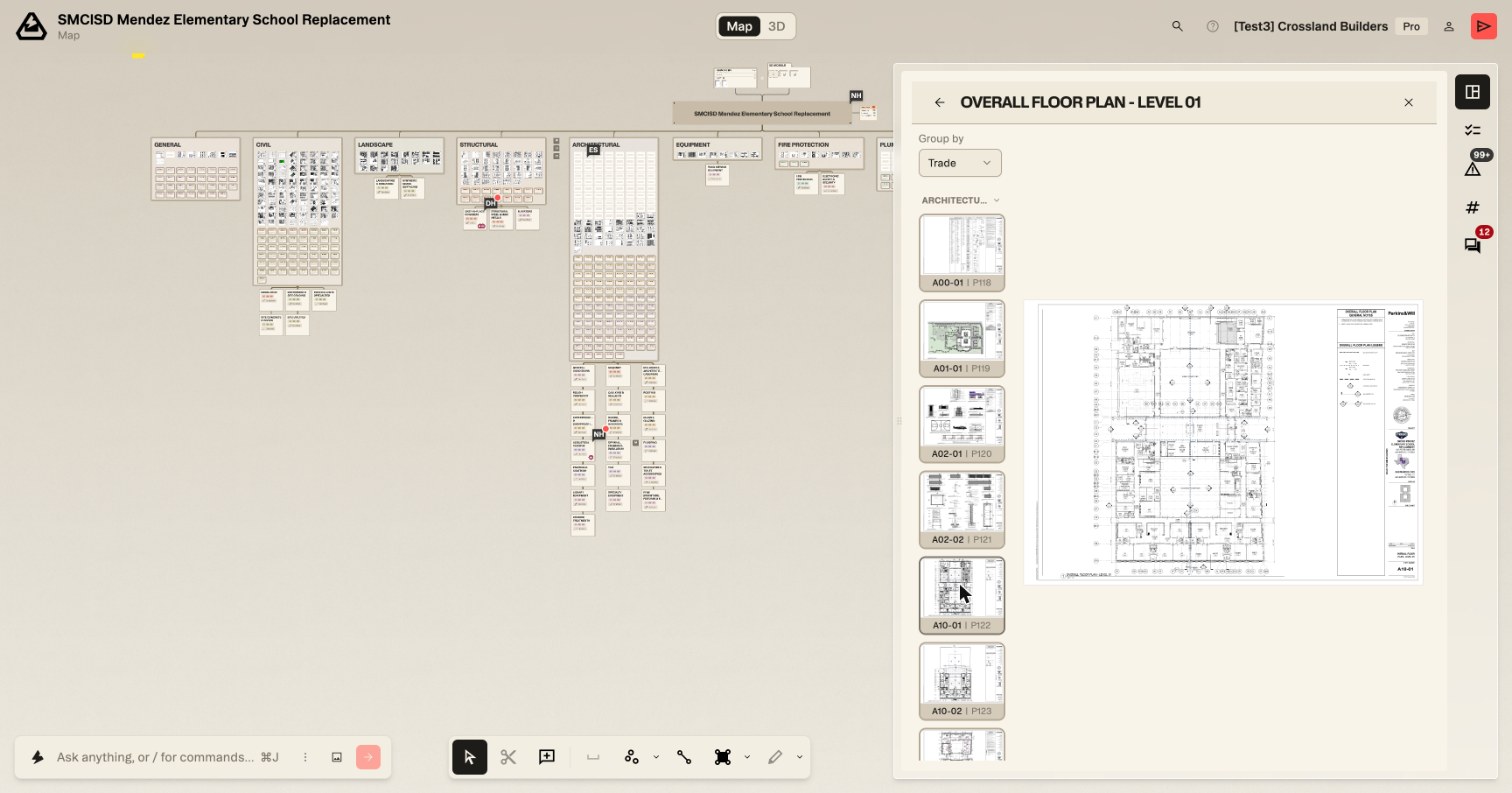
Click a drawing set to open it in the detail panel. The sheet-by-sheet list is the thumbnail rail down its left side, each row labeled with the sheet number and its page in the set (A00-01 | P118). Group by at the top of the rail sorts it into collapsible trade groups or one run of sheets.
Download documents
Each set, book and model in Project documents has its own download button, and Download project documents beside the heading downloads them all.
Good to know — Other exports live with the thing they export: quantities from the Quantities panel, scopes from the scope itself (see Exporting), and issues from the Risk Register (see Adding and managing issues).
More docs