Wall summary
Eight numbers in the corner of the canvas that tell you whether the wall you're looking at is the wall you took off. Read-only, and worth reading.
Updated 1 minApplies to: Retaining WallFeedback →
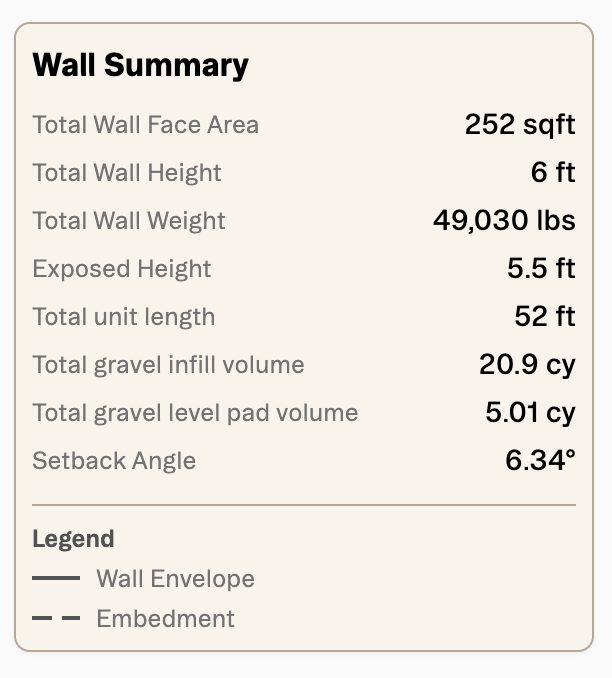
The panel sits in the upper left of the canvas and reports eight numbers, in this order:
| Reads | What it is | On the sample wall |
|---|---|---|
| Total Wall Face Area | the area of the wall's face | 252 sqft |
| Total Wall Height | full height, embedment included | 6 ft |
| Total Wall Weight | what the whole wall weighs, which is what freight is worked out from | 49,030 lbs |
| Exposed Height | how much of it shows above grade | 5.5 ft |
| Total unit length | the run of units | 52 ft |
| Total gravel infill volume | gravel inside and behind the units | 20.9 cy |
| Total gravel level pad volume | gravel in the levelling pad under the wall | 5.01 cy |
| Setback Angle | the batter the design worked out | 6.34° |
Beneath them sits a Legend for the canvas itself: a solid line for Wall Envelope, a dashed one for Embedment.
Tip — Check Total Wall Face Area against your takeoff before you look at anything else. If it's wrong, the envelope is wrong, and nothing downstream will be right.
Good to know — Two of these are ordering numbers rather than engineering ones. Total Wall Weight is what the freight line on the Quote tab divides into loads, and the two gravel volume figures are what you hand a supplier. They are the numbers most worth copying out.
More docs