Send a scope gap to the right trade from the risk register
Nov 2026
Scope gaps
Scope that no package owns yet
Struction flags work that no bid package clearly covers: stock shelving where the documents don’t say whether the contractor or the owner buys it, or a slab restoration that falls between plumbing and concrete. Those are the items that come back after award as a change order, or show up as a hole in the bid spread when one sub carried them and another didn’t.
We’ve flagged these gaps for a while. What’s new is what you can do with one once it’s flagged. Deciding which trade carries the work used to mean leaving the risk register and sorting it out in the scope-of-work panel. Now you can assign the trade right where the gap is listed.
What changed
The register now tells you what each item is
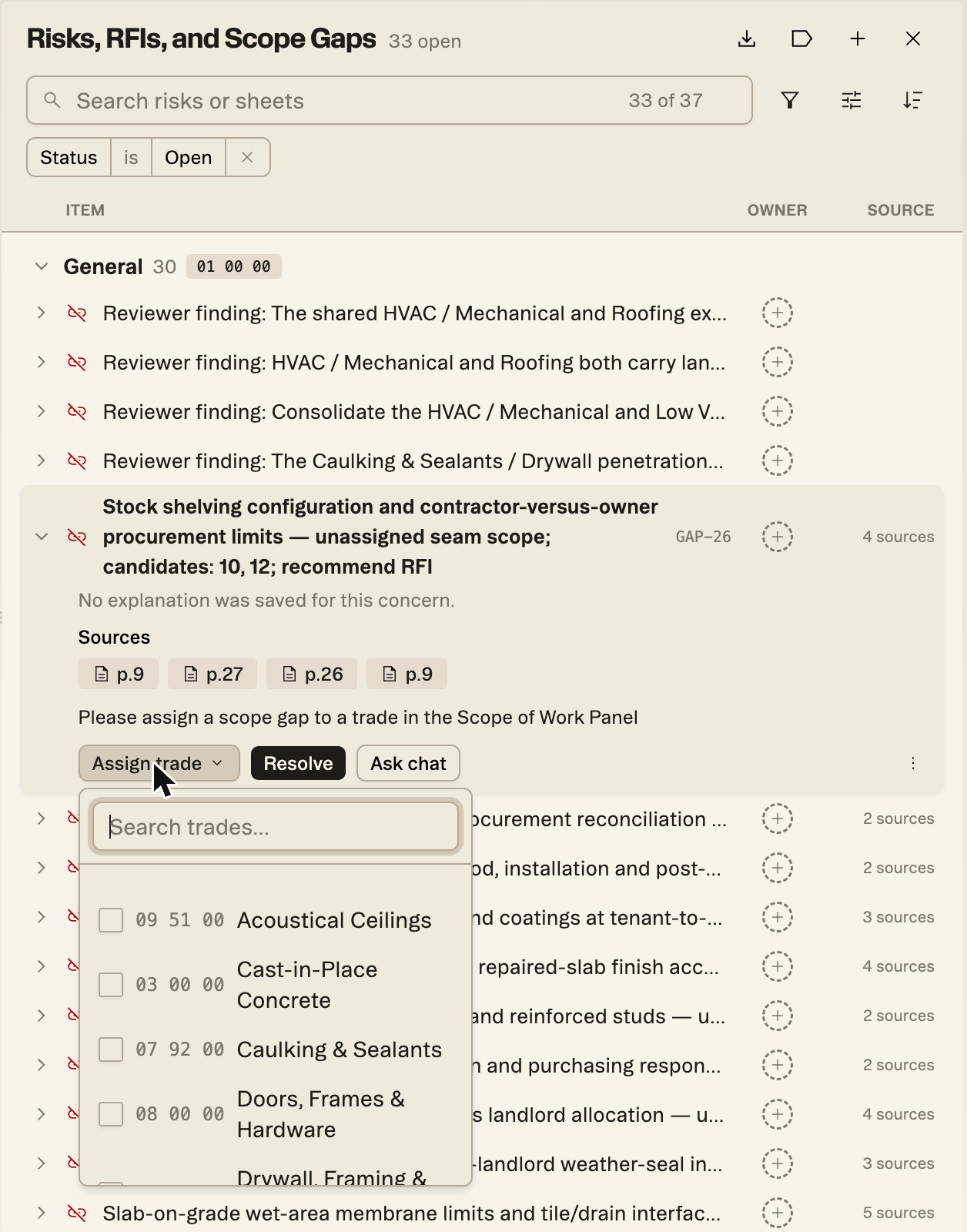
The panel is now called Risks, RFIs, and Scope Gaps, and every scope gap carries a GAP number, so you can tell it apart from a risk or an RFI without opening it. Expand a scope gap and you’ll find an Assign trade menu next to Resolve and Ask chat.
Assigning
How to route a gap
- Open the Risks, RFIs, and Scope Gaps panel from the right-hand rail and expand the gap.
- Read the gap’s title and sources before you pick. The title often names the candidate divisions, and each gap lists the pages it was drawn from, which usually settle which trade the drawings or specs point to.
- Open Assign trade, search by name or scroll the CSI list, and tick the trade that should carry the work.
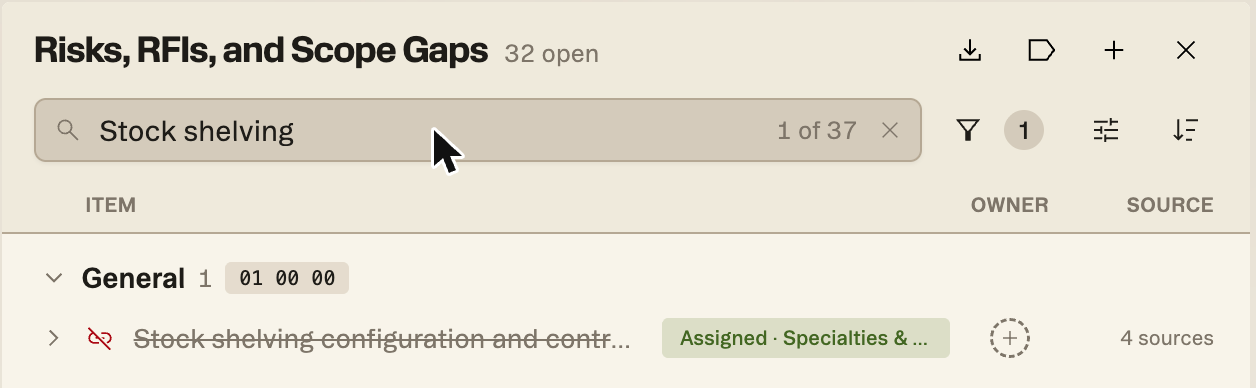
Once assigned, the gap leaves the open count but stays in the register, struck through and labeled with the trade it went to. Search still finds it, and clearing the Status filter shows assigned gaps alongside open ones.
In a bid
Where this fits before the ITB goes out
The useful moment to do this is right after scopes are generated and before packages go out. Work down the open gaps, route the ones where the drawings make the answer clear, and you’re left with a short list that genuinely needs a question answered.
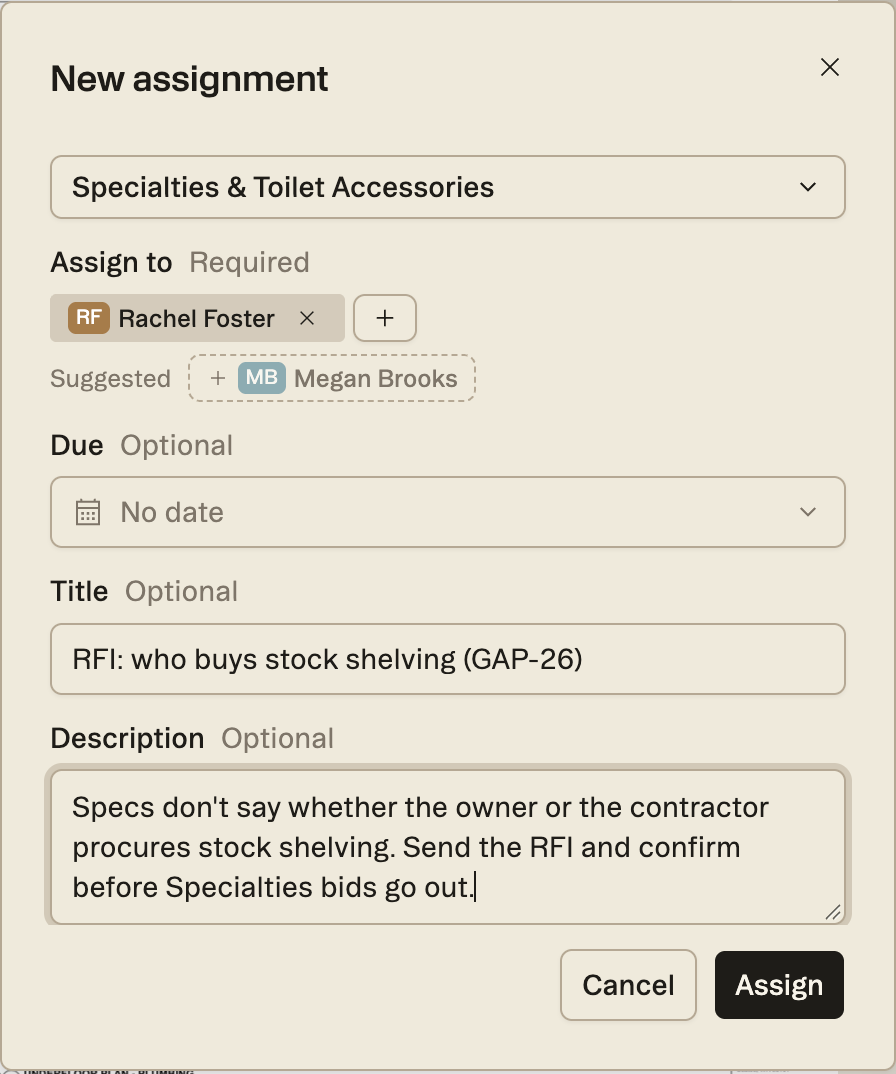
Some gaps say so themselves. The stock shelving gap in our test project lists divisions 10 and 12 as candidates and recommends an RFI, which is a sign it needs an owner’s answer as well as a trade. For those, assign the trade you expect to carry it, then give the RFI an owner from the Collaboration panel so the gap doesn’t sit in the register waiting for someone to notice it. In our test project, we linked the assignment to the Specialties scope, put a teammate on it and spelled out what has to be settled before Specialties bids go out.
Related
A trade and a person answer different questions
Assigning a gap to a trade decides which package carries the scope. Putting a person on it, so someone actually chases the answer, is still done from the Collaboration panel, and our earlier post covers how.
Put it against a real set.
Upload one project free with a work email. Struction reads the drawings, drafts the scopes trade by trade, and keeps every line pointed back at the sheet it came from.
Upload a set →