Comments on the drawing
Sept 15th, 2026
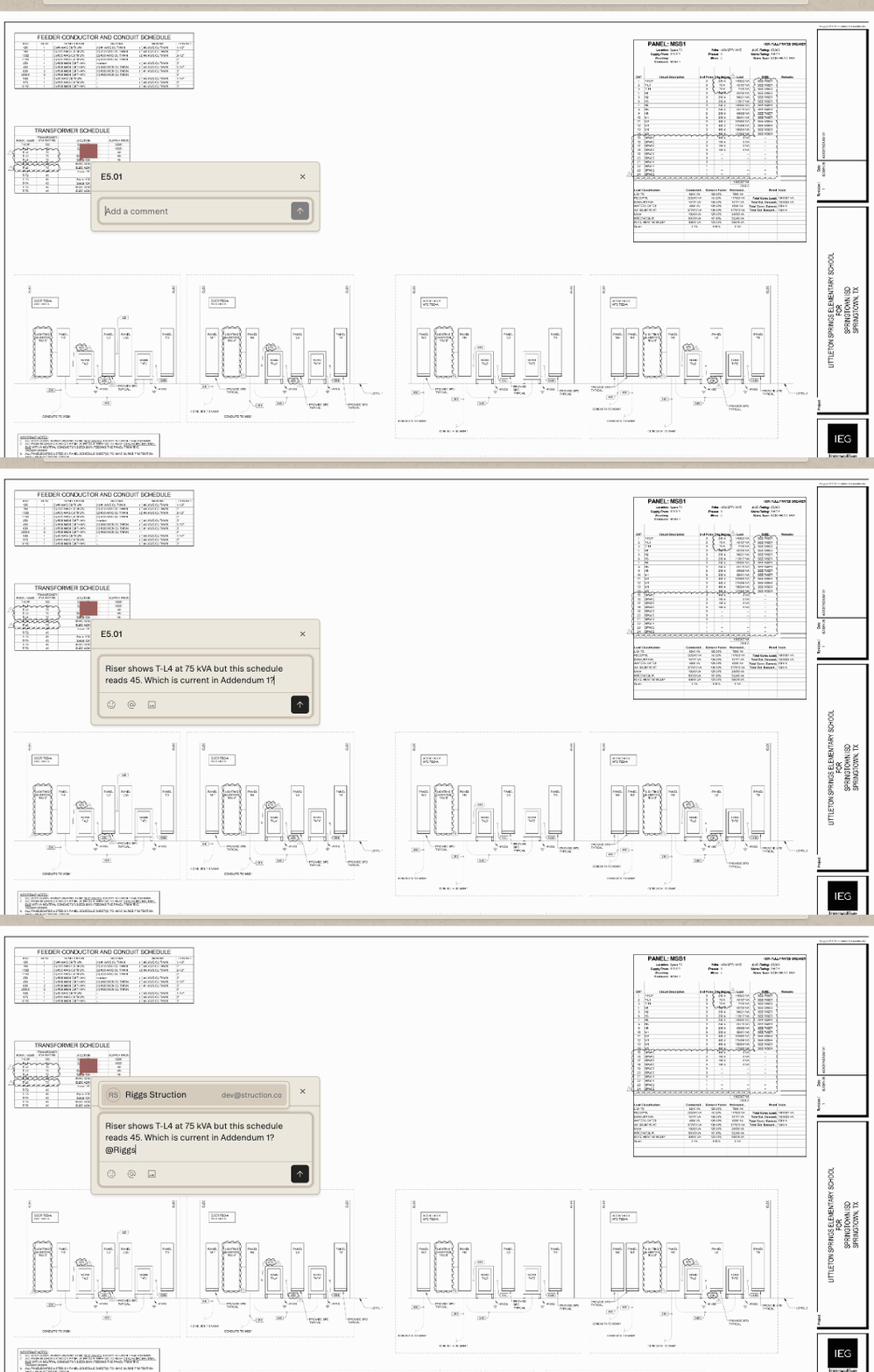
The riser on E5.01 shows a transformer at 75 kVA. The transformer schedule on the same sheet reads 45. Before that number goes into a bid, somebody has to decide which one is current.
Before now that question leaves the drawing. It becomes an email, or a message to whoever ran the last addendum, and the answer lands in an inbox where the next person to open E5.01 has no way to find it. The cloud you drew around the discrepancy records that you caught it. It doesn't record what anyone decided.
A comment keeps both on the sheet. You click the spot, type the question, @mention whoever can answer it, and the thread stays pinned where you left it.
WHAT IT DOES
The thread goes on the detail
You can leave a comment anywhere on a sheet and it pins in place. Mentioning someone with an @ notifies them.
A thread can attach to more than a point on a page. It pins to an entity, to a single field on an entity, or to a free point beside one. Quantities and individual measurements are included in that, so a question about a number can sit on the number itself.
Replies stay on the thread where it was left. There's also a bell inbox and an Action Center for the days when you'd rather work through a list than a drawing.
The composer is plain text by design. Comments on a bid set are questions and answers, not documents, and the decision was made deliberately.
It never guesses
This is the part that determines whether comments are still trustworthy six months into a job, so it's worth understanding.
When the target of a thread moves, or a sheet is reissued, the anchor has to be resolved again. Struction resolves it in a fixed order: the target's own geometry first, then a defined hop to its parent, then a detail-mode fallback. If none of those resolve, the thread is marked as orphaned.
Two things follow from that. It won't pick a nearby shape and hope it's the right one, and it only orphans a thread when it can prove the target is genuinely gone, because an orphaned thread is presented as permanent and a false one would be worse than no answer at all.
The principle is the same one behind the source column on a quantity. A pointer you can't rely on is less useful than no pointer.
Still unread on Monday
Read state is tracked per person, so a comment you haven't opened stays unread for you regardless of whether a colleague has read it.
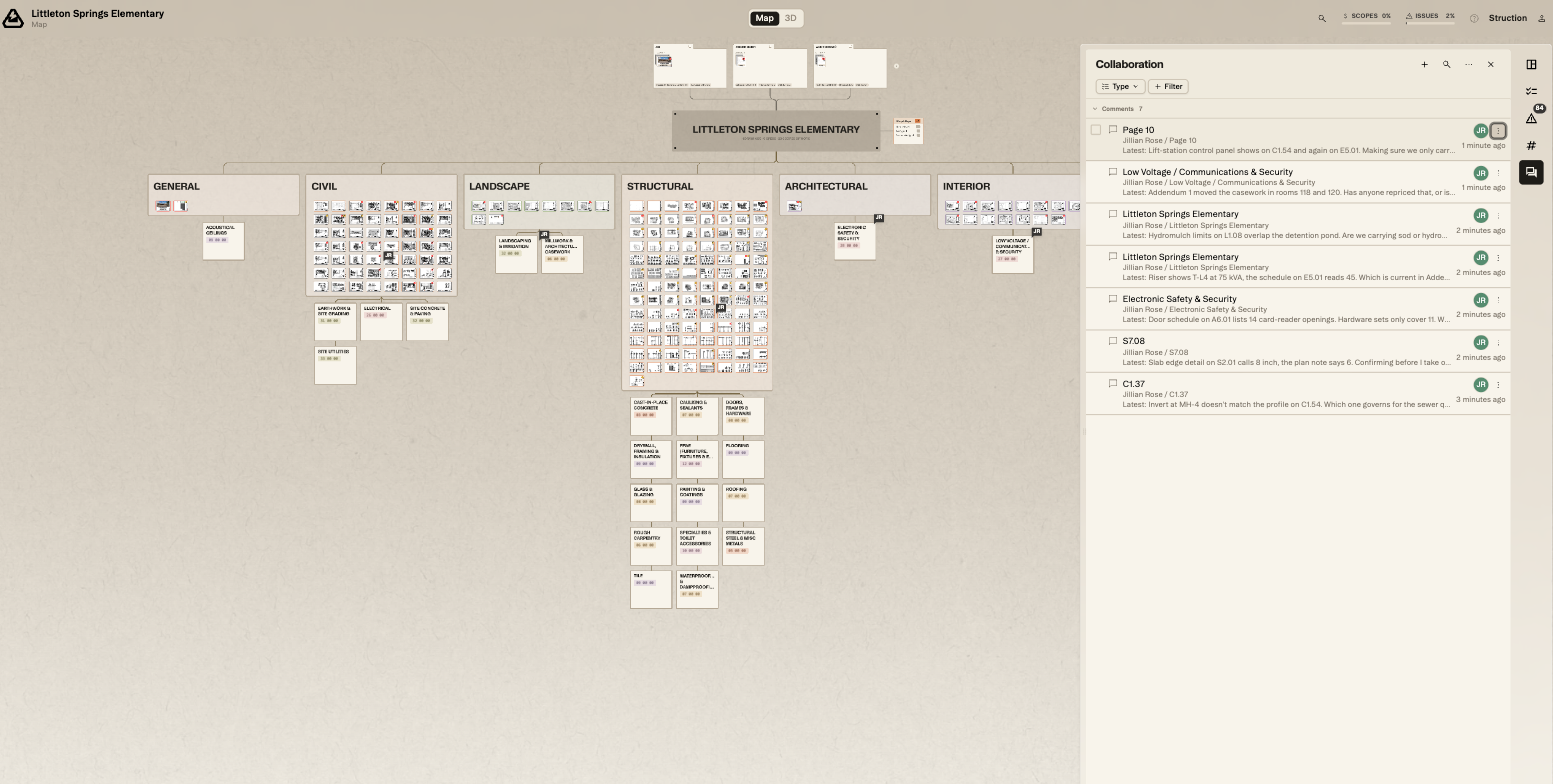
Unread threads are badged on the comment rail, and each row in the rail shows the first line of the comment alongside its location, which lets you triage without opening every one.
Pins scale with the view. Zooming out across a package keeps them legible instead of shrinking them into the linework.
HOW TO
Leaving one
- Select the comment tool, then click where the question is: on a shape, on a field, or on clear sheet beside it.
- Write the comment plainly and @mention whoever needs to answer it. There's no formatting available, so lead with the question rather than building up to it.
- Work the rail when you come back to the project. Unread threads are badged, and each row carries a line of the comment along with its location.
- Anchor to the thing instead of the area wherever you can. A thread attached to a quantity or a measurement survives a reissue more reliably than one left on a bare point.
One limitation to know going in: the Action Center and the Quantities panel occupy the same slot on the right-hand side, so they can't both be open at once. Working a list of comments against a list of quantities means switching between the two.