Assigning scope gaps
Sept 7th, 2026
Scope assignments
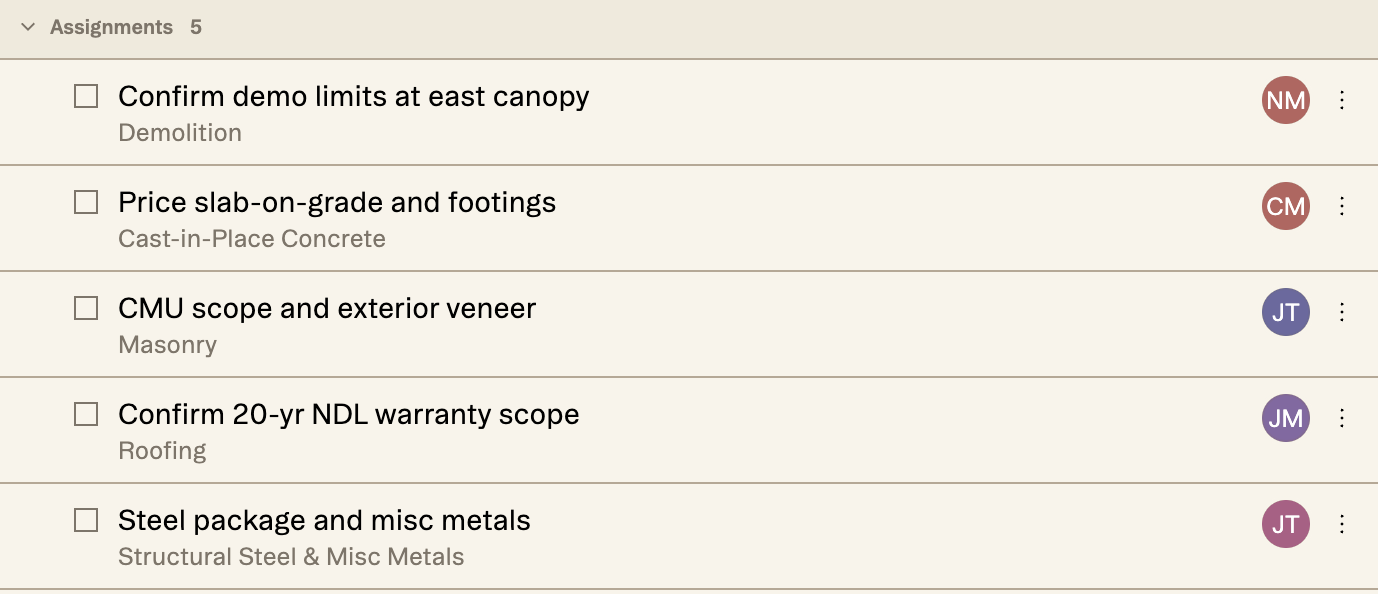
Somebody has to own it
Twenty-six scope gaps on a job. Every one is a question somebody has to chase, and that list of twenty-six questions belongs to nobody in particular.
That was the state of it until now. You could see the gaps, sort them, and read where they came from, but you couldn't hand one to a person.
How it works
Three ways to put a name on one
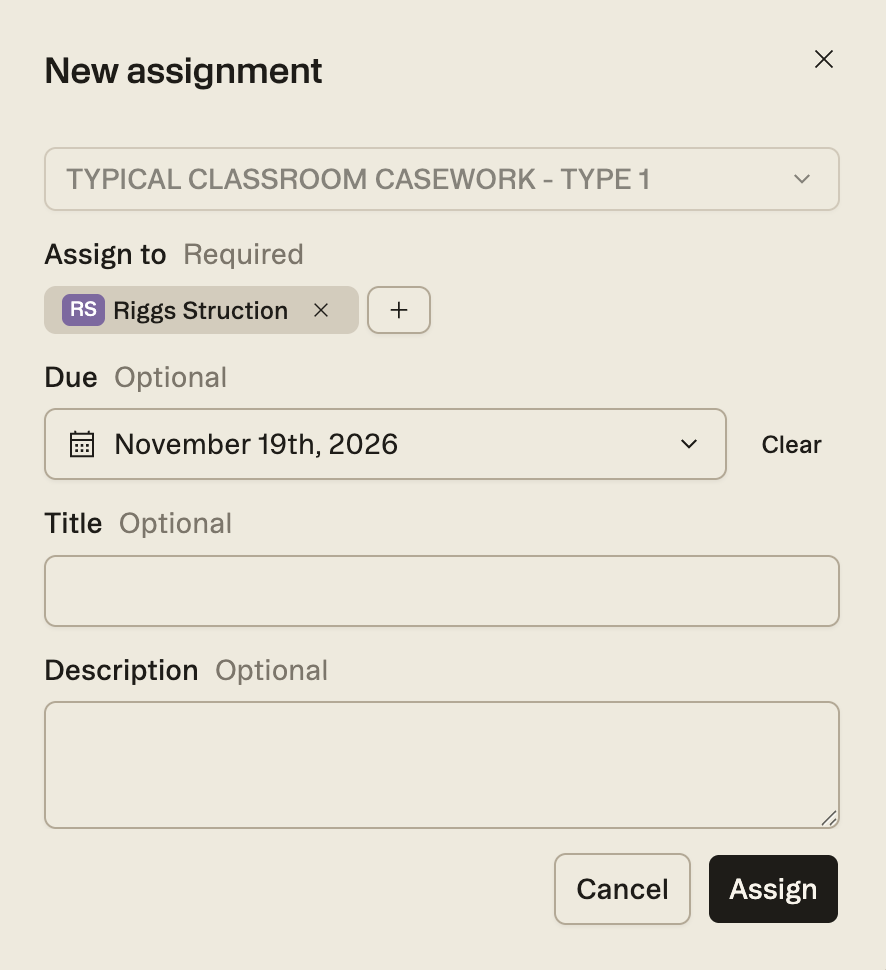
The Collaboration panel is the direct route. Open it, hit the plus, and the New assignment form asks for four things: what it's about, who it goes to, when it's due, and what you want them to do. Only the first two are required.
The target picker searches scopes, sheets and trades, so the assignment is attached to the documents instead of floating loose in a task list.
You can also start from the drawing. Right-click a markup and Add assignment is in the menu, which is the quickest route when the question is about something already in front of you.
A comment thread can become one too. If a thread has run its course and needs an owner, Assign from thread is in the thread menu.
Chat
Or just ask for it
Chat can make assignments too. Ask it to assign a gap to somebody, optionally with a due date and instructions, and it looks up both the gap and the people on the project. If either is ambiguous, it asks.
Then it drafts the assignment and hands it back in an approval form. You edit, approve or reject. Nothing reaches anyone until you say so.
In bulk
Or put names against the whole list
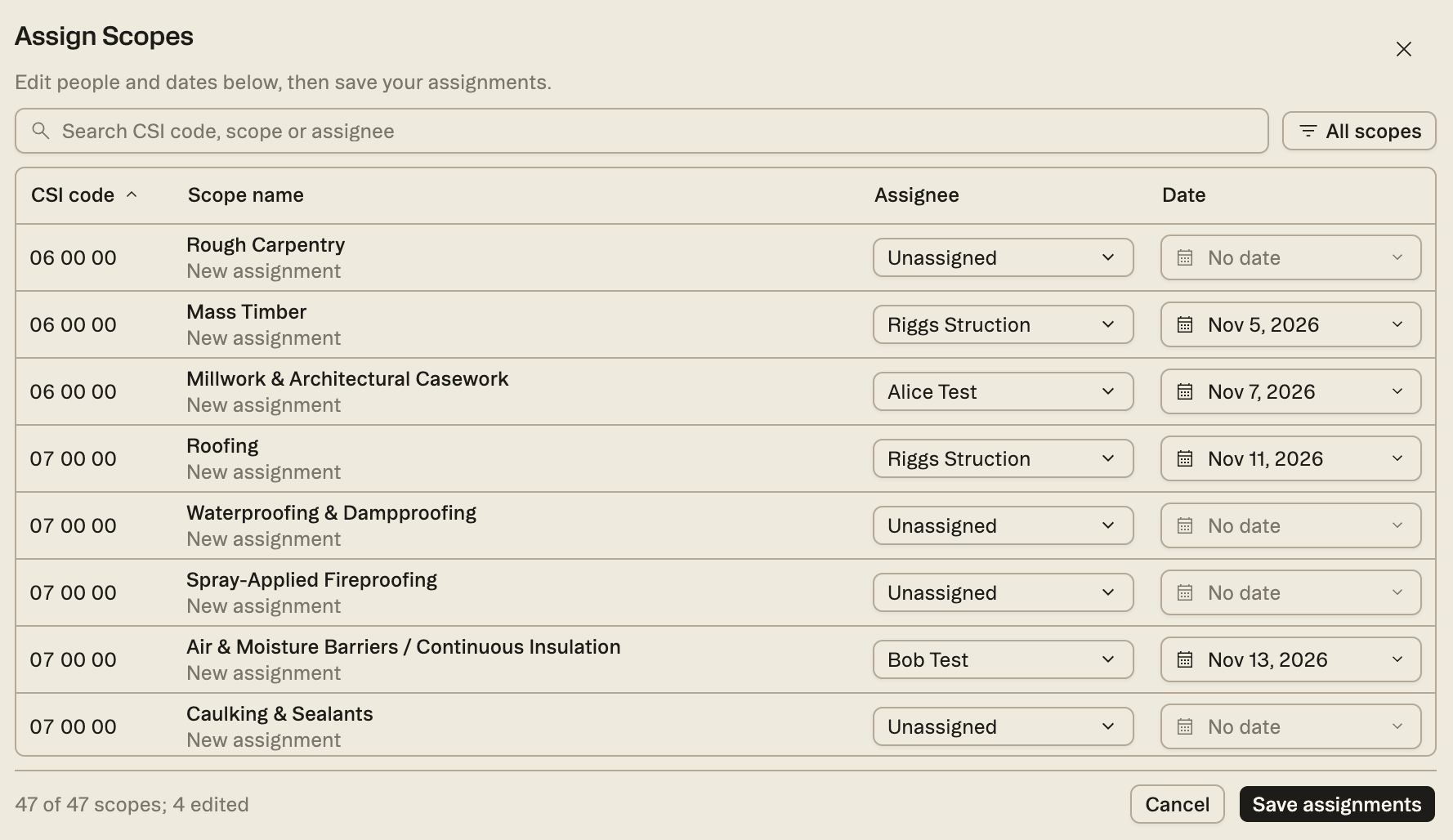
One form at a time suits one gap. When the list is long, open the Scopes of work panel, hit the three dots and pick Assign scopes.
Every scope in the job comes up in one table. Each one shows the assignments it already carries, with a blank row underneath for the next. Set the person and the date on the row itself.
Nothing moves until you hit Save assignments, and the footer counts what you have changed. Search narrows by CSI code, scope name or assignee, so you can work a trade at a time or a person at a time.
Trades
One gap, several trades
Firecaulking never did belong to one sub. A gap can carry more than one trade at a time, which came straight out of a precon team telling us that forcing a single owner made them redo the work later.
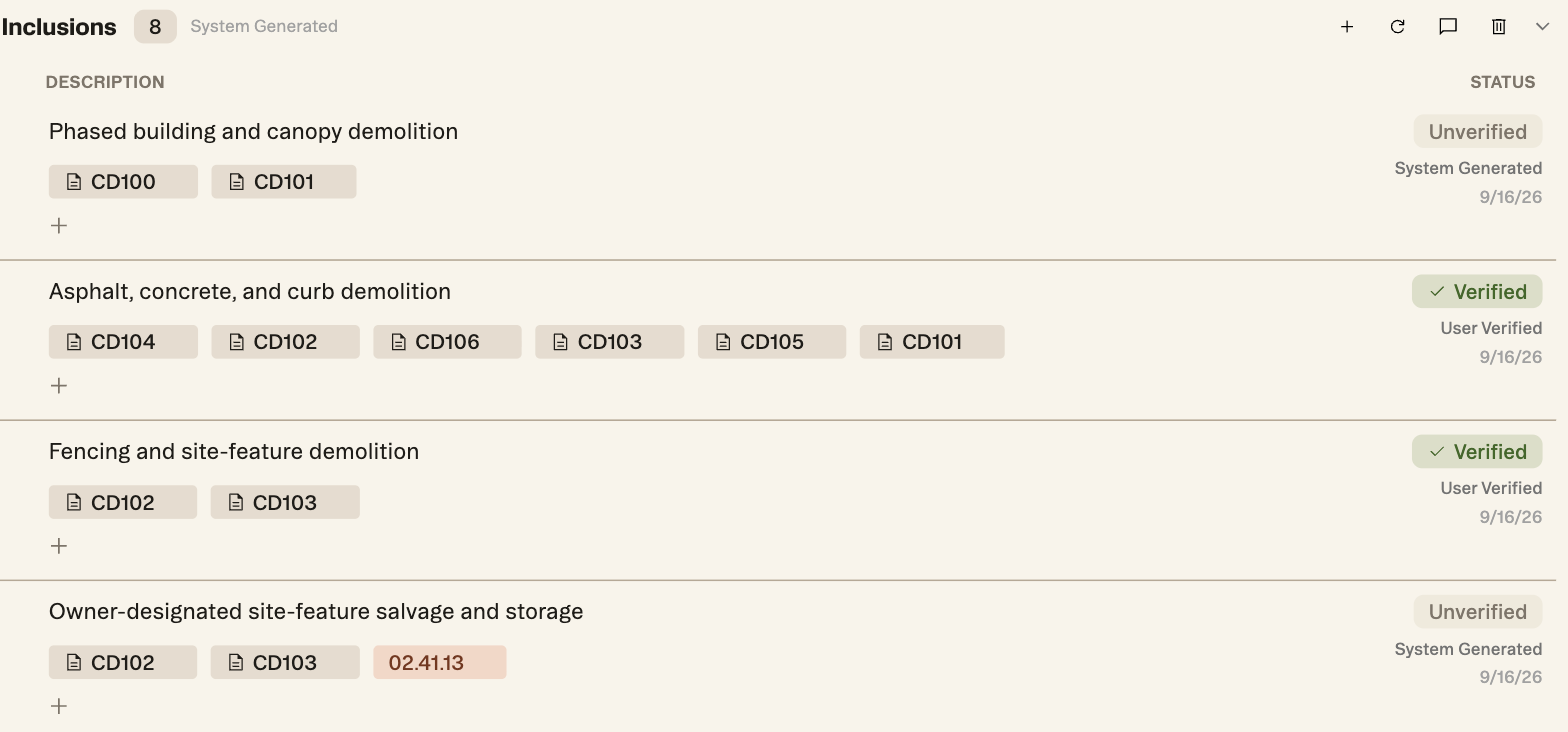
Every gap also keeps a reference back to where it came from. Inclusions carry their source sheets as chips, so “why is this flagged” is a click instead of an email.
How to
Assigning your first one
- Open the Collaboration panel from the right rail.
- Hit the plus to open the New assignment form.
- In the target picker at the top, search for the scope, sheet or trade the assignment is about, and pick it.
- Set Assign to. That field and the target are the only two required.
- Add a due date, a title and instructions if the person will need them. All three are optional.
- Hit Assign. It lands in the Collaboration panel and in their queue.
Start with the gaps that are actually holding a number, not the top of the list. Three owned gaps beat twenty-six unowned ones.